
Spend less time on payroll and more time growing your business.
Our simple software helps you run payroll, file taxes, handle compliance, and basically takes care of all of the nitty gritty so you don’t have to.

Matchless Builds, Gusto customer

Modern, easy payroll
We built our platform for small businesses like yours. It’s easy to set up and use — whether it’s your first or thousandth time running payroll.

All-in-one, integrated platform
Gusto is so much more than small business payroll. Time tracking and benefits administration are built right in, so you can take care of your team all in one place.

Affordable, transparent pricing
Our pricing is simple: Plans start at just $55 a month. Our plans always include unlimited payroll runs, benefits administration, and best-in-class support.
Gusto serves more than 500,000 growing businesses.
Millions of people get paid by Gusto every month. Small businesses love our affordable payroll software, and so will you. Find the right plan for your business and get started with Gusto today.
Modern, easy payroll
Payroll software designed for small businesses like yours.
With Gusto, you can run payroll in minutes — from anywhere.
We’ll also calculate your payroll taxes and automatically file them with state and federal government agencies so you don't have to.
Gusto is here to help you through the entire payroll process. Read about all of our payroll features here.
Customers save an average of 4 hours per month on running payroll since switching to Gusto. That's an average of 48 hours per year. (September 2024)
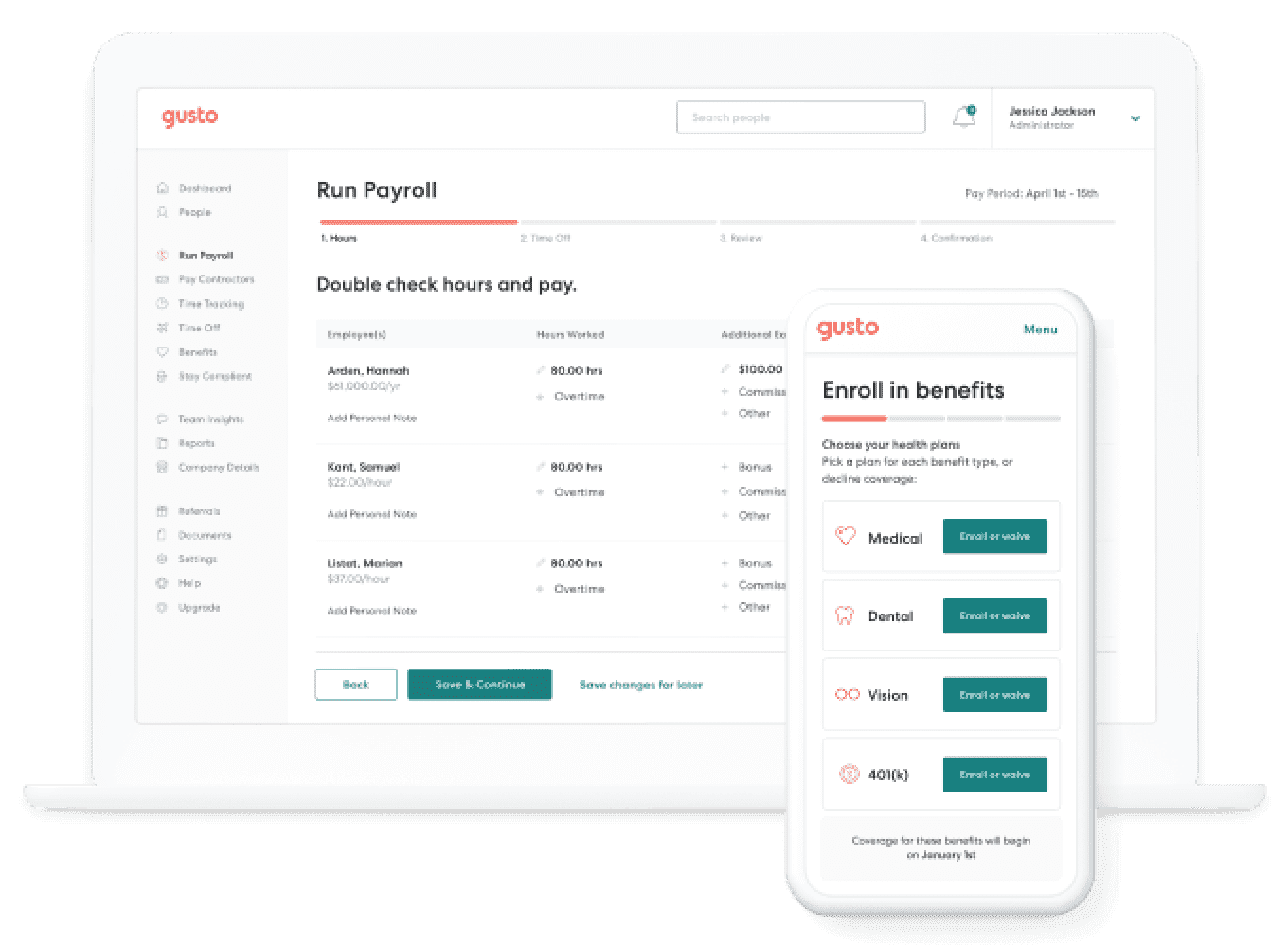
All-in-one, integrated platform
Built-in tools and payroll integrations to streamline your work.
Ditch the duplicate paperwork.
Time tracking, benefits management, and more are included in Gusto payroll. We also integrate with more than 20 software platforms that small businesses like yours use.
Here are some of our payroll integrations:
- QuickBooks
- Clover
- TSheets
- When I Work

Spin Laundry Lounge, Gusto customer
Affordable, transparent pricing
Unlimited payrolls. No hidden fees.
When you run payroll with Gusto, you always know how much it'll cost. That's because we’re upfront about our pricing, and there are never any hidden costs.
Our plans cater to your team, whether you only need simple small business payroll or more advanced features like on-demand HR support.

Matchless Builds, Gusto customer
Integrated benefits
Employee benefits on a small business budget.
Just because you’re a small business doesn’t mean you can’t give your team big company benefits.
Gusto helps you offer health insurance, flexible spending accounts, 401(k) plans, commuter benefits, and more to your team.
Learn more about setting up a great benefits package with Gusto payroll.

The Salty Donut, Gusto customer
Simplified workers’ comp
Workers’ compensation insurance, integrated with payroll.
Pay-as-you-go workers' comp makes it easy to protect your business and your employees without straining your budget.
If you need help, there are licensed agents ready to guide you through buying workers’ comp online.

Handlebar Cyclery, Gusto customer
Easy-to-use payroll
Affordable payroll, built for your small business.
Plans start at $55 per month.
Small business payroll is just the beginning. Gusto's also here to help with your benefits, HR needs, and more. Compare our plans and pick the best one for your team.
- Unlimited payroll for hourly and salaried employees
- Employee self-service
- Expert support via phone, email, and chat
- Workers' compensation
- Health benefits administration
- PTO policies

Gusto customers saved an average of 100 hours/year on tax and compliance work after switching from ADP.
Source: Survey of 538 Gusto Customers, September 2024
Small business payroll FAQs
1. Pick a time to switch payroll.
It's easiest to switch at the end of the year and start running payroll with Gusto on January 1.
But no matter when you choose to switch payroll providers, try to give yourself at least two weeks' lead time. That buffer helps make sure there aren't gaps in paying your employees.
2. Transfer all the relevant information.
To get you up and running, we'll need all the pertinent details. This includes information on your employees, their payroll deductions and contributions, and payroll tax details for your business.
No need to worry — our team is here to help you with step-by-step instructions specific to the provider you're switching from.
3. Close your old account and start running payroll with Gusto.
Once you're set up, surveyed customers say running payroll with Gusto takes about half the time compared to previous payroll providers. (Source: 2018 TechValidate survey)
Nope. Gusto's month-to-month, and you can cancel at any time.
Gusto will calculate, pay, and file all of your federal, state, and local payroll taxes.
We'll also file the corresponding payroll tax forms on your behalf. That includes W-2s, 1099s, Form 940, and more.
Small business resources
What are the benefits of using payroll software?
Is payroll software really worth the cost? After all, if you can do payroll for free, shouldn't you?
If you genuinely enjoy the math and time involved with doing payroll manually, then hold on to that joy.
But if you're looking for an out, it's time to start considering payroll software for your small business. Not only does it save you time, but in the long run, an online payroll provider can save you some serious money.
What does small business payroll software include?
Instead of calculating your employees' wages and taxes by hand and filling out complicated tax forms, payroll software like Gusto automates all that hard work for you.
There's a whole bunch of stuff that needs to happen when you run payroll. Stuff like:
Calculating wages and overtime pay
Keeping track of sick and vacation pay
Calculating and withholding taxes from your employees' paychecks
Sending tax payments to federal, state, and local agencies
Filing quarterly forms on time
Filing annual forms on time
Following state-by-state payroll requirements
A good payroll service takes care of all of these things for you. Even better? It takes care of this stuff in the background, which means you aren't bothered every time there's a form to file or payment to send.
With payroll software, you have one job — to run payroll. The software does the rest.
But isn't doing payroll manually way cheaper?
Not necessarily.
Sure, when you DIY your payroll, you don’t have the cost of payroll processing, but the trade-off is time. No matter how simple your payroll is, there are always wages to calculate, taxes to withhold, and forms to file.
The real question isn't about the cost of the software, it's about the value of your time.
Let's say it takes you three hours a month to do payroll for three employees. And let's say it costs $57 a month for payroll software. Is your time worth more than $19 ($57/3) an hour?
Can you generate income for your business in those three hours, instead?
If you answered yes, then it costs you more to do payroll by hand.
What if you hire someone to do payroll for you? Well, if you pay that person more than $19 per hour, you're losing money.
How payroll software saves you time and money
Maybe you read the example above and thought, “Nope! It's still more cost-effective for me to do payroll manually.” It could seem like that, but there are other ways payroll software saves you money that aren't all about time.
Here are the top benefits of using payroll software at your small business.
1. Accurate calculations
There's no way around it. Payroll involves math, and math is prone to human error. Luckily, your payroll software is programmed not to make mistakes.
What happens if you make a payroll calculation error? The best-case scenario is that you catch it early and make a correction on the next paycheck (which means more work for you). The worst-case scenario is that you don't find it and get sued by a disgruntled employee.
Even if your employee doesn't sue you, a payroll error could result in having to pay unpaid payroll taxes, plus interest and underpayment penalties. Don't put yourself in that spot.
2. On-time payroll tax payments and filings
Running payroll involves two pretty important requirements:
Sending the government your tax deposits on time
Filing the right payroll tax forms by their deadlines
When it comes to making federal tax deposits, there are three payment schedules for employers:
Quarterly
Monthly
Semi-weekly
The semi-weekly deposit schedule is based on the day payroll is paid. So if payroll is paid on Monday, your deposit schedule is different than if you pay employees on Friday.
Also, you can't just pick one of these schedules — your schedule is determined by your payroll history. And keep in mind, this is only the federal payroll tax deposit schedule. Each state has its own rules.
What happens if you don't pay your federal taxes on time or on the right schedule? You pay a penalty on the unpaid taxes.
Here's a breakdown of the IRS penalties for unpaid payroll taxes:
Number of days late | Penalty |
|---|---|
1-5 | 2% |
6-15 | 5% |
16+ | 10% |
More than 10 days after the first IRS bill | 15% |
Let's say you have $5,000 in payroll tax deposits to make. You get busy and forget the deadline. Three weeks go by, and suddenly you remember to pay your payroll taxes. In addition to paying $5,000, you now owe $500 in penalties.
That's not all. You'll also have to pay interest on unpaid tax deposits, which range between 3% to 6%.
Okay, that's your payroll tax payments. What about the forms you're required to file? If you file your Form 940 or Form 941 late, the IRS also imposes a penalty.
The penalty for filing your forms late is 5% of the total tax due for each month or partial month the return is late. The maximum penalty is 25% of the tax due.
And if you don't pay the taxes you owe with Form 940 or 941, the IRS charges you a failure-to-pay penalty, which is 0.5% of the unpaid tax amount for each month the tax is late.
The bottom line is that missing even one payroll deposit or filing can set you back hundreds, or even thousands, of dollars. Payroll software figures out your federal and state payroll tax deposit schedule, pays your deposits on time, and files your payroll tax forms before the deadline.
3. Legal compliance
The challenging thing about payroll is that there are federal and state payroll laws that you need to follow. From minimum wage requirements to pay date schedules and state and local tax withholding rates, every state (and sometimes city and county) has its own set of laws.
When you DIY your payroll, it's on you to learn the laws and stay on top of changes. Accidentally using the wrong tax rate could result in underpayment penalties. If you violate federal and state labor laws, your employees could report you to your state's employment agency — or even sue you.
Payroll software automatically updates with the latest tax rates, so you don't have to spend your Saturday night sifting through state tax laws.
With an online payroll service, your employees can also update their personal information, like their filing status, withholding allowance, and direct deposit accounts themselves. This means you don't risk forgetting to make changes that could impact your payroll taxes.
4. Accounting and other software integrations
Most payroll providers integrate with accounting software like Xero and QuickBooks Online. With an accounting integration, the software syncs your payroll data directly into your accounting program.
On the most basic level, it will sync:
Regular wages
Employer taxes
Reimbursements
Vacation pay
Sick pay
Overtime
Bonuses
Benefits liabilities
What does this mean for you, the small business owner? It means that you don't have to manually calculate the splits between wages, taxes, and liabilities.
What does this mean for your accountant or bookkeeper? It means that your bookkeeper spends less time processing payroll data, which saves you money.
Payroll software also integrates with other types of software, like time and expense tracking programs. These integrations dramatically cut down the time it takes you (or your accountant) to prepare payroll, and it decreases the chance of errors.
Leaving the world of manual payroll may be daunting at first, but once you experience the benefits of using payroll software, you'll never go back. Every accurate payroll run and on-time tax deposit keeps money in your pocket — money that you can invest right back into your business
Best overall payroll software
"Gusto is the best payroll software solution for many small and midsize businesses thanks to its thorough automation, comprehensive payroll tools and optional employee benefits with built-in administration."
- TechRepublic, 2024
Trusted by 500,000+ businesses and their teams

#1 Highest Satisfaction Software
G2 Review | 2026


#1 Best payroll software
TrustRadius | 2025