Gusto for AI
One connection, one chat, get work done across multiple clients
Connect Gusto to Claude or ChatGPT, choose which clients to include, then generate the reporting you need for all of them at once. Ask questions about your clients' live payroll data, prepare changes to hours or payroll, and approve every change yourself before it reaches Gusto.
Now in beta for Gusto Pro partners.
What’s in this video
Screen recording of Claude connected to Gusto, showing an accountant selecting client accounts, reviewing payroll alerts, resolving timesheet and new-hire issues, and generating a cash-flow forecast with a payroll-shortfall recommendation.
Three steps and Claude works on multiple client tasks at once

Connect Gusto
Authorize Gusto in Claude once. No separate connection for every client and no disconnecting-then-reconnecting.

Choose your clients
Select the clients to include. You must be a global admin and only the clients you choose get connected.

Say who you're working on
In the chat, tell Claude which clients you're working on, then ask a question or ask for the work you need done.
The reports you run every cycle from one prompt
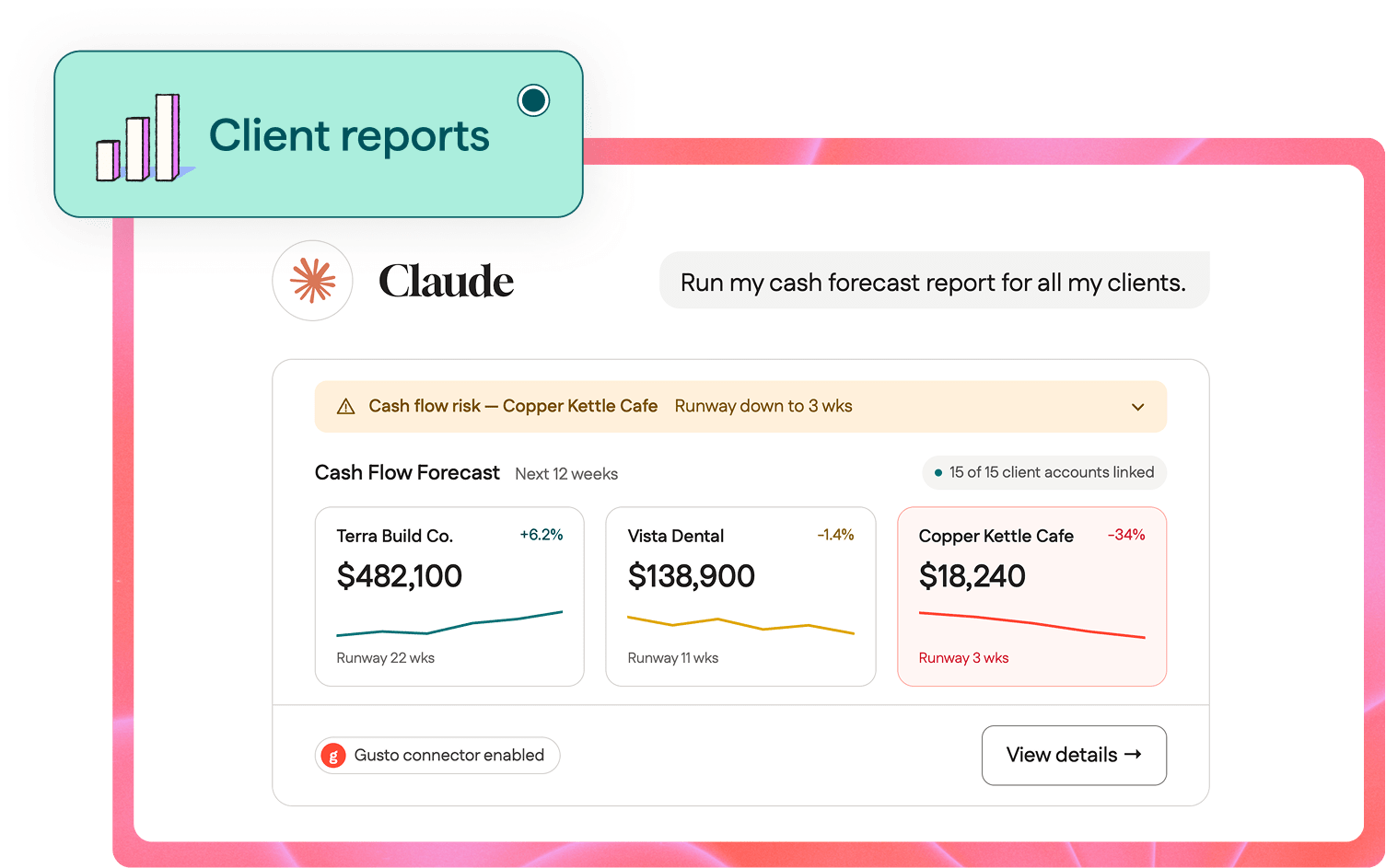
Firms run the same handful of reports in Gusto, client after client, more often than they prep payroll or onboard employees.¹ Now you can ask for the reporting you need across the clients you've connected, and get it all back in the conversation.
With the data in the conversation, you can ask about it: What was a client's total employer cost last quarter? Compared to the prior quarter? Fewer calculations by hand, more answers clients can use.
You're still the one who approves
Claude pulls the pieces together and stages them: hours from a spreadsheet, a bonus from email, a time-off correction. Nothing gets submitted to Gusto until you review and approve it. No more logging-in-and-out so you can focus on the decisions your clients need to make.
You choose the clients.
Only the clients you select get included.
You approve the changes.
Edits come back to you for confirmation before they go to Gusto.
You set the access level.
Read or write, applied across the clients you've connected.
You can disconnect anytime.
Revoke the connection from Gusto whenever you want.
Prep payroll without switching clients
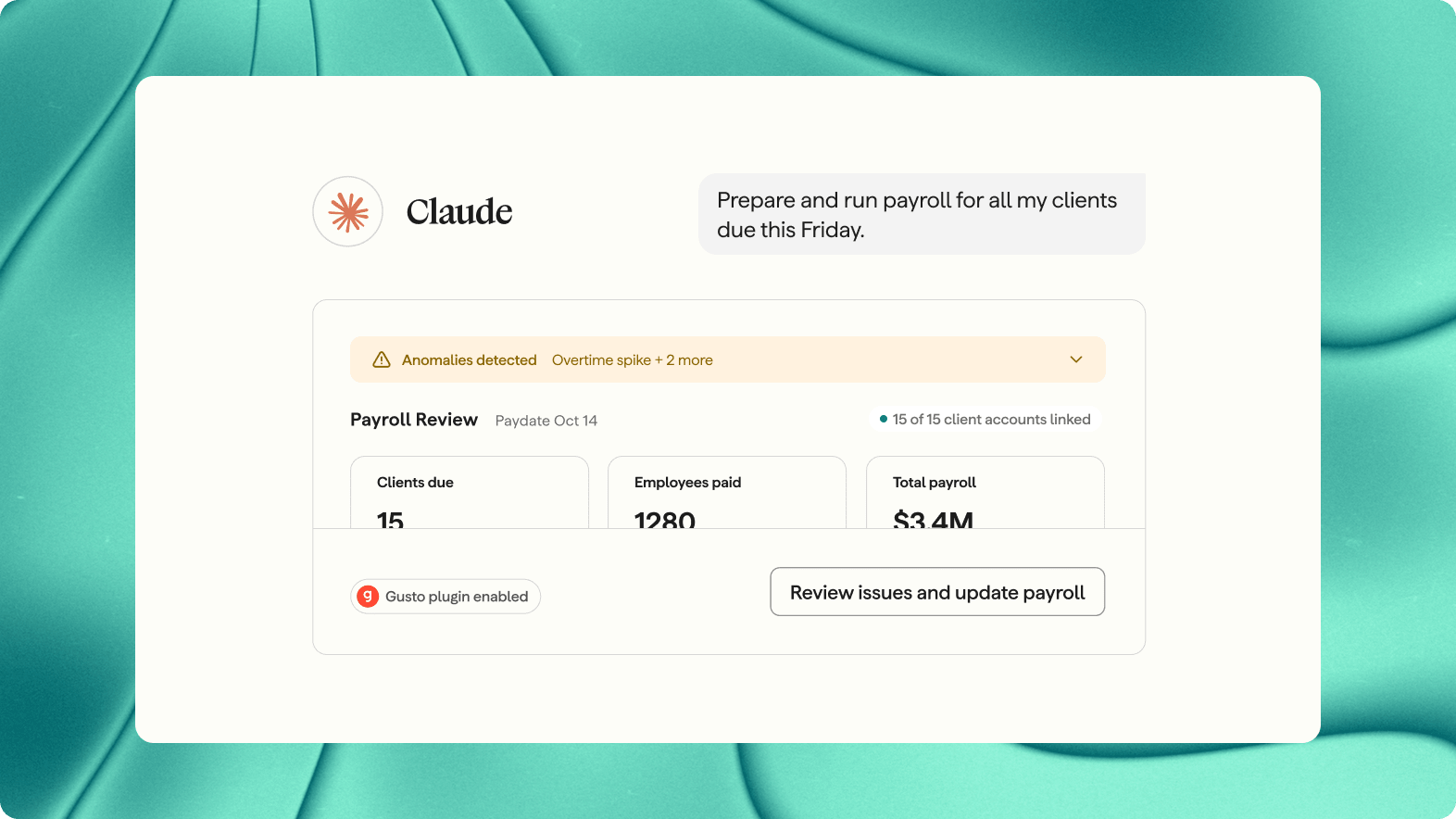
No more re-authenticating between clients. Ask Claude to prepare payroll for all connected clients and it can pull in hours worked, earnings, time off, payment method, and more. Review one client's changes, then move to the next in the same conversation.
Set it up the way you already work
Claude can schedule routines and connect to the tools you already use. Once Gusto is connected, you can design the workflow your firm needs — check for updates, pull what you need, drop it in the right folder — instead of repeating the same steps by hand every week.
Pick your favorite AI tools
Use your preferred AI tools and agents. Gusto allows you to work across multiple clients whether you use Claude or ChatGPT; additional AI clients coming soon. Open connection standards underpin these connections, so your Gusto data isn't tied to a single AI tool.
See all the ways Gusto works with AI →
Join 23,000+ modern accounting firms growing their practice with Gusto.
Based on internal Gusto data as of April 30, 2026. Reflects firms with an active Gusto Pro account.
FAQs: AI and payroll for accountants and clients
A Gusto Pro account, global admin access on the clients you want to include, and Claude or ChatGPT. The connection runs on the Gusto MCP (model context protocol), the same server behind the Gusto connector for Claude and plugin for ChatGPT.
The ones where you're a global admin. You choose which of those to include when you connect, and you can change the selection later.
Not today. The access level you choose applies across the clients in that connection. Per-client permissions are something we're looking at.
No. Payrolls are prepared, reviewed, and submitted one client at a time. Working across clients in a single conversation is the part that gets easier.
No. Claude can gather information and stage changes; the review, the judgment, and the approval stay with you. Nothing reaches a client's Gusto account until you approve it.
Firms with larger books, or clients with larger employee counts, may see slower responses on questions that span many clients at once. If you manage a large book, start by connecting a subset of clients and add more as you go.
Payroll summary, cash requirements, and contractor payments to start, delivered as CSV. More report types are on the way.
The Gusto CLI (command line interface) connects AI agents to Gusto today for single-client work. Multi-client authentication is planned for the CLI as well.
Gusto has a plugin for ChatGPT that supports multi-client authentication today, and an MCP that connects to other AI clients for single-client work. See all the ways Gusto works with AI →
See Gusto's Privacy Notice, the Gusto MCP Terms, and the Gusto AI Assistant Terms.
Connect once and get the cycle back
Set up the connection, pick your clients, and keep approval where it belongs.
Using a different tool? See Gusto for AI
¹ Based on internal Gusto data on report-generation activity by Gusto Pro accountant partners, August 1–31, 2026, measuring relative frequency of report generation compared with payroll preparation and employee onboarding. Individual firm activity varies.
These applications and connectors use third-party artificial intelligence models, which may produce inaccurate or incomplete outputs. Gusto is not responsible for errors in responses provided by third-party artificial intelligence models or for any actions taken in your Gusto account based on those responses. You should always verify information and review actions before confirming them. This content is not to be taken as tax, legal, benefits, financial, or HR advice. Since rules and regulations change over time and can vary by location, consult a lawyer, tax, or HR expert for specific guidance. Please see Gusto's Privacy Notice, the Gusto MCP Terms, and the Gusto AI Assistant Terms.
Claude is a trademark of Anthropic, PBC. ChatGPT is a trademark of OpenAI OpCo, LLC.