
About
Traliant’s self-paced, interactive courses are built to educate, influence, and motivate by training on appropriate behaviors and promoting a positive, respectful workplace. Their harassment course is available in industry-specific versions and meets all state and federal guidelines.
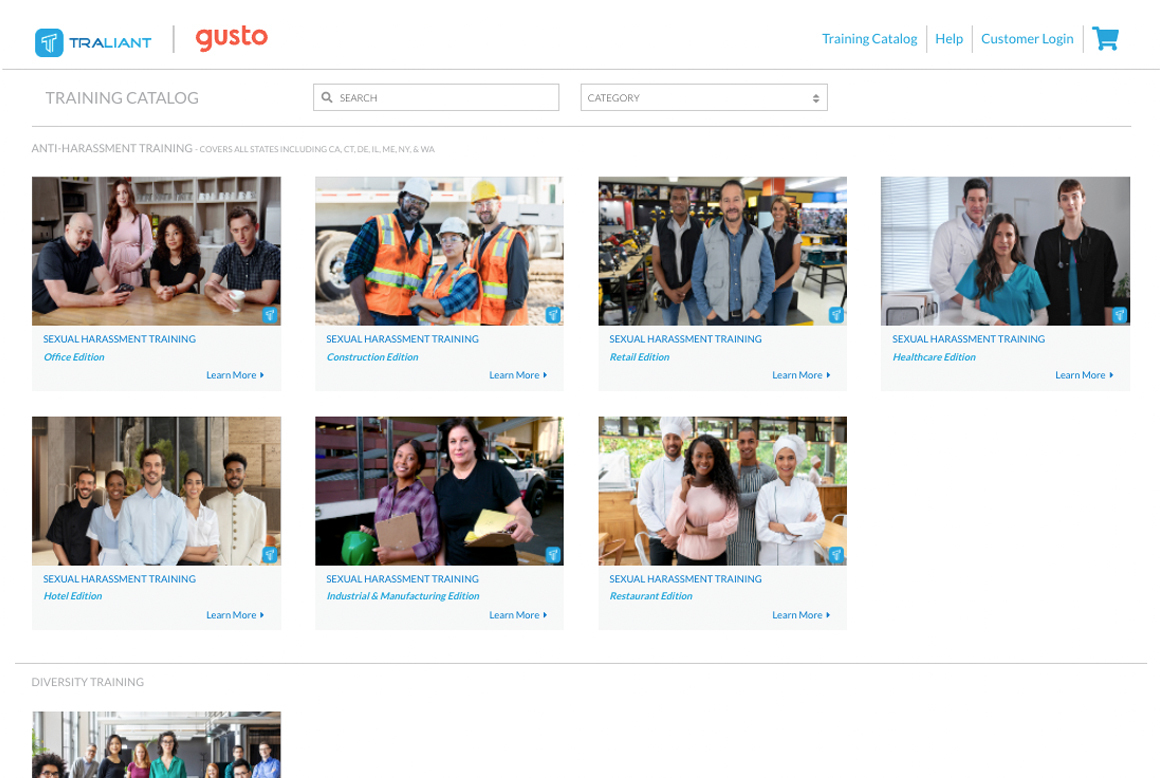
Traliant’s full training catalog is available to Gusto customers at a discounted price, with no code required. Just explore the online catalog, buy, assign and start training your team today.
How It Works with Gusto
- Employee Provisioning: Seamlessly import your team directly from your Gusto account to Traliant. Automatically keep your Traliant account up to date as you manage your employees’ work status in Gusto.
Key Benefits
Training from Traliant:
- Helps your team recognize and prevent harassment, discrimination and bullying at work.
- Promotes ethical decision-making.
- Drives appropriate behaviors and empowers your team to speak up when they witness inappropriate behavior.
- Mitigates risk by deepening knowledge on key compliance topics to help establish clear behavioral and ethical expectations.
- Positions your teams to use AI responsibly and effectively defend again cyber threats.
- Shows your commitment to providing a physically and psychologically safe work environment.
- The reporting tool allows you to track progress, send reminders, and show compliance on mandated training topics.
Integration Guide
When purchasing your first training, you will be prompted to set up an account for logging into your administrative account for future purchases and assigning courses. You will log into your account to integrate with your Gusto account.
Follow these steps to integrate your Gusto account with Traliant:
- Sign in to Traliant by clicking the Customer Login button in the top right corner of the page.
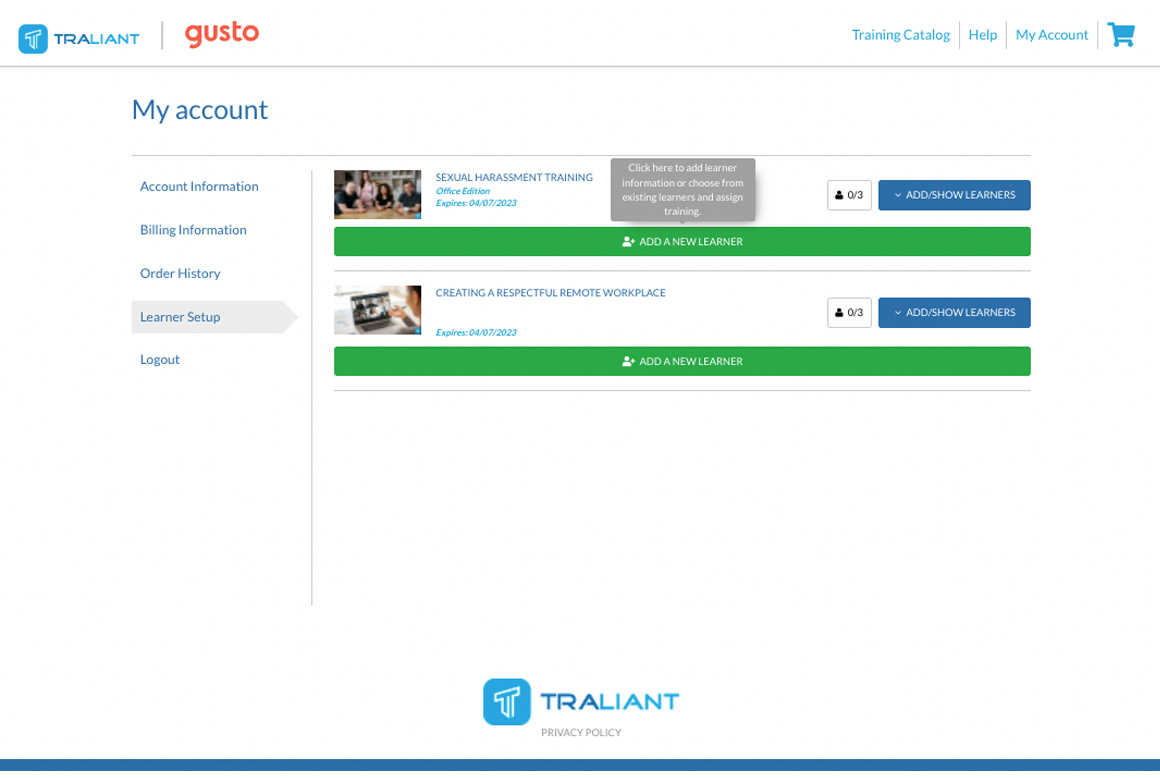
- To add new learners from your Gusto account and assign them courses in Traliant, select Learner Setup in the left-hand navigation of your Traliant account.
- Click ADD/SHOW LEARNERS to display the currently licensed users.
- You will see a list of the learners currently in the system. Scroll down and at the bottom of the list, you have the option to ADD A NEW LEARNER.
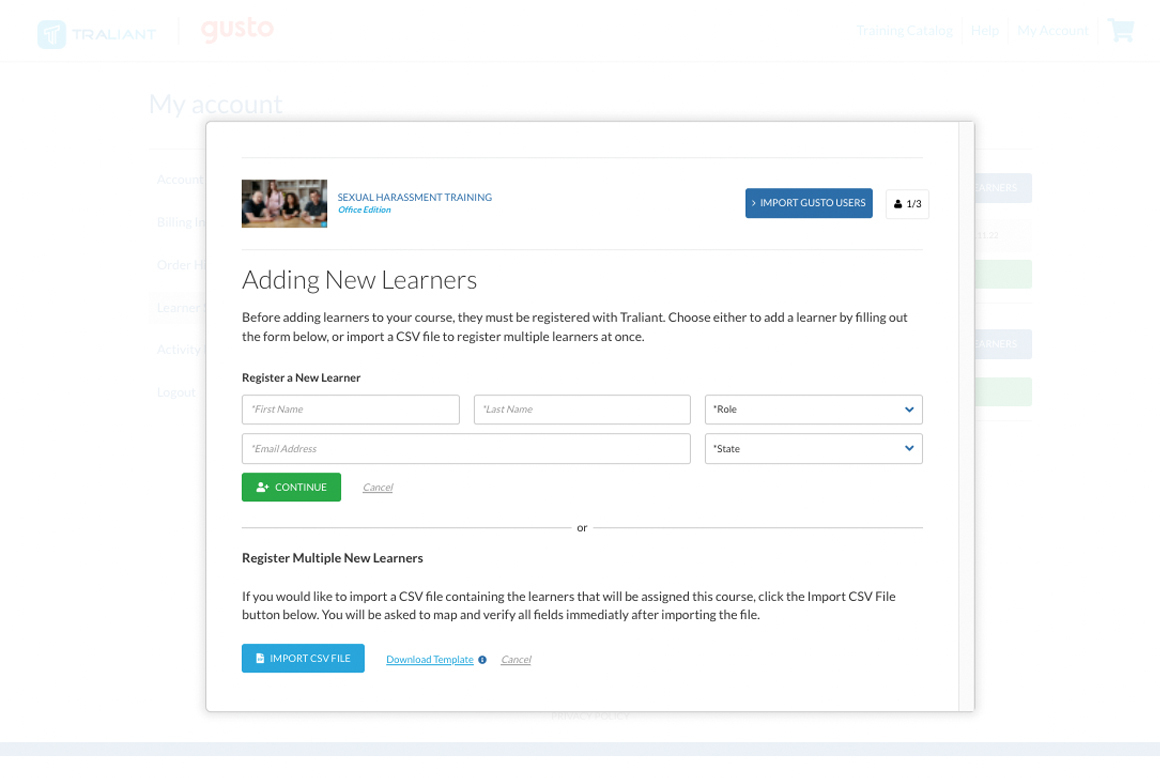
- Click ADD A NEW LEARNER to open the next screen where you will see a button to IMPORT GUSTO USERS. Once you click the button and authorize from the Gusto site, it will give you a list of users from your Gusto system who are not yet added to the Traliant training learners list. You can select any or all of the users you would like to add from this screen.
- After you click ADD NEW LEARNER for those selected users, it will return you to the previous window, where you can click CONFIRM PENDING LEARNERS, which will create and assign any new learners.


What you can do
Create and/or remove Traliant accounts
- Create Traliant accounts for your employees from Gusto.
Data sync between Gusto and Traliant
- Import employees from Gusto to Traliant.