Built for where accounting is headed
From first payroll to benefits and HR, Gusto handles the busywork. So you can focus on the work only you can do.
Put your expertise where it pays most

NOW IN BETA
Repetitive work, handled
AI-assisted workflows help take on manual payroll tasks and reporting for your entire book, so your team spends more time on advisory, not data entry.

NOW AVAILABLE
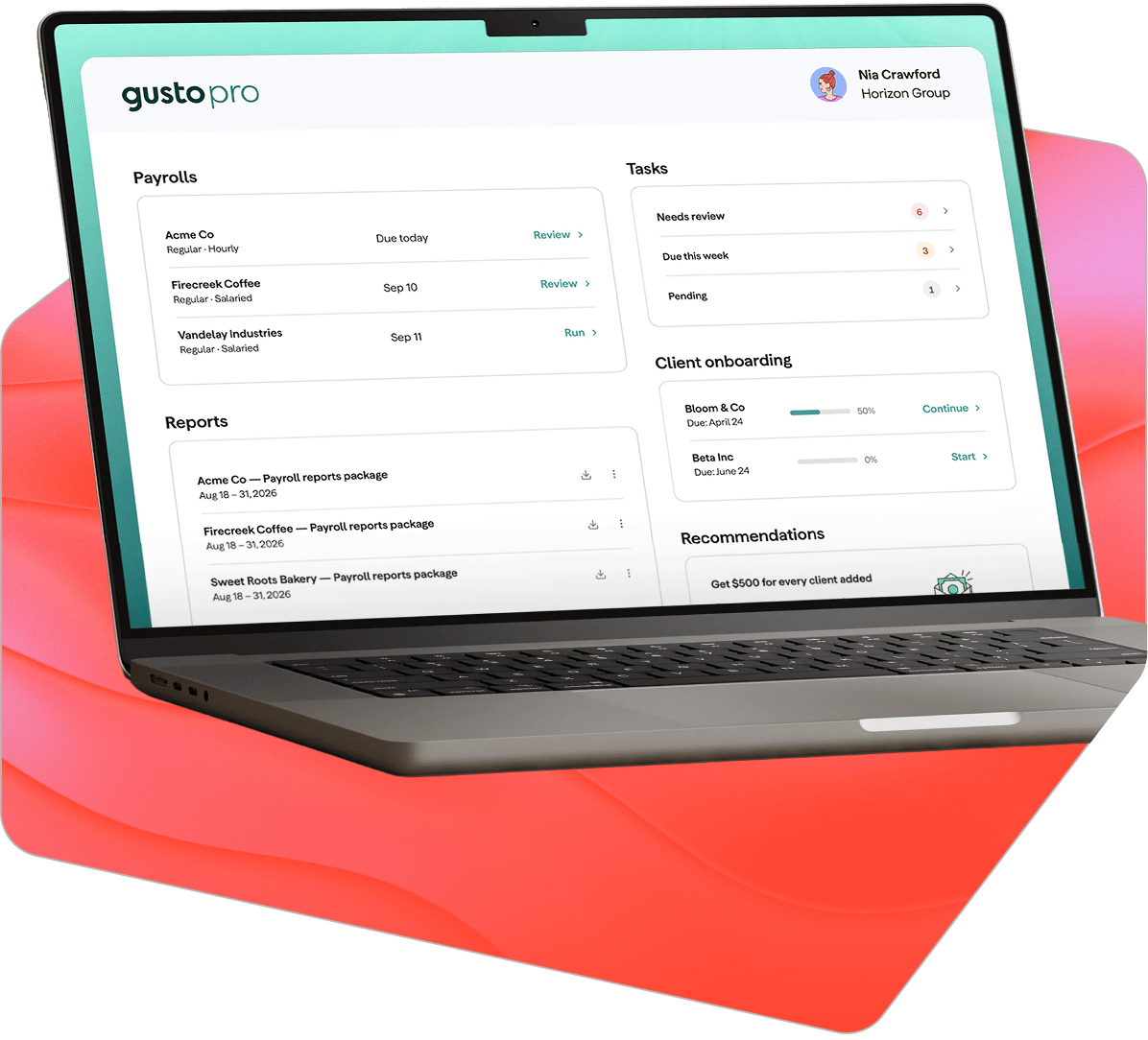
One view of every client—and opportunity
Quickly see what needs your attention now, plus the 401(k), health insurance, and tax credit opportunities sitting in each client's data.¹

NOW IN BETA
Less digging, more advising
Ask Gusto's AI a question about your whole book and get an answer built from live data. Client work in your inbox can even flow in automatically. Privacy notice.

NOW IN BETA
Real resources behind your growth
Get a partner that can put dollars behind your plans: co-investment funds, revenue share, and marketing support to help you scale.
Gusto Pro by the numbers
23k+
Accounting firms that grow their practice with Gusto²
200 hrs/year
Average time saved on payroll, tax, and compliance for Gusto customers³
4.5 stars
Gusto product rating from accountants who trust us with the work that can’t go wrong⁴
“The data that's being provided [through Gusto's dashboards] is so powerful, and I feel like we've just skimmed the surface. We're saving the equivalent of 40 hours a week for a full-time position.”

grew revenue 125%, saved ~160 hrs/month in reporting
Rewards that grow with your firm
From first login to full advisory firm, unlock real rewards as you grow, like dedicated support, capital, and an exclusive consultant network.

When you start
Get the Gusto Pro dashboard, training, and migration support from day one—plus free payroll for your firm when you add a client each year. Terms apply.

As you grow
Start earning revenue share and grow your client base and advisory revenue with AI agents and marketing resources.

As your book scales
Unlock scale with dedicated partner support, co-investment and a featured listing in Gusto's Partner Directory.

As we scale together
Earn up to 20% revenue share and unlock advisory tooling and higher-margin opportunities.
Connect to the tools you already use


FAQs: Payroll software for accountants and clients
Gusto's Payroll Transfer Automation lets you import employee details from ADP Run, QuickBooks Online Payroll, and QuickBooks Desktop Payroll—you download payroll files from the old provider and upload them into Gusto. Company info and past payroll totals still need to be entered manually. Gusto Pro partners also get onboarding help and free payroll transfers, plus a dedicated advisor once you begin adding clients.
Yes. Gusto Pro is free to sign up. There's no cost to create an account, explore the platform, or earn Gusto Academy certifications. When you onboard clients onto Gusto, your own firm gets free Gusto Plus payroll and HR tools, when you onboard at least one client per year to Gusto. See partner terms for full conditions.
Gusto started in payroll, but the platform now covers HR, benefits administration, compliance alerts, and advisory tooling—all managed from one multi-client dashboard. For accounting firms, that means you're not stitching together separate tools for payroll tax, workers' comp, 401(k) and retirement offerings, or benefits enrollment. Gusto Pro helps surface advisory opportunities across your entire book, so you can offer higher-value services without adding operational complexity.
Over 23,000 accounting firms use Gusto Pro to manage client payroll from a single multi-client dashboard. The platform gives firms compliance automation and advisory data across their entire book, without toggling between separate tools for each client. Gusto Pro integrates with QuickBooks, Xero, and FreshBooks, so it fits into the workflows most firms already run.
Your clients' pricing is based on their Gusto plan (Simple, Plus, or Premium) plus a per-employee rate. As a Gusto Pro partner, you select a billing method for each client: client billed with revenue share, client billed with a partner discount, or firm billed. Firm billing lets you pay Gusto directly and set your own rate for the client. You choose the billing method during client setup.
Gusto is built for U.S.-based small businesses. If your clients have W-2 employees or 1099 contractors, Gusto can handle their payroll, benefits, and HR. Gusto can also pay independent contractors in over 120 countries.
Focus on four things: how the platform handles multi-client management (not just single-employer payroll), whether pricing gives your firm flexibility or locks you into per-client retail rates, what revenue share looks like and under what conditions, and what the firm itself pays to use the platform. Gusto Pro is free for accounting firms, offers tiered revenue share, and gives you a single dashboard across your entire book.
More clients. Less complexity.
We built Gusto Pro for exactly that.
Your practice doesn't grow by adding more systems. It grows by needing fewer of them. See what running your whole book on one platform actually feels like.
¹Opportunities shown are for discussion purposes only and are not insurance, investment, or tax advice. Unless you hold appropriate insurance licenses, keep client conversations general and connect clients with licensed professionals. Identified opportunities don't guarantee eligibility, affordability, or availability.
²Internal Gusto data as of April 30, 2026. Reflects firms with an active Gusto Pro account.
³Survey of 538 Gusto customers who work with an accounting firm, September 2024. Figure combines reported average savings on payroll (48 hrs/yr) and tax and compliance (152 hrs/yr).
⁴Survey of 790 Gusto Customers, September 2024.